AI Tools & Technology Recommendations
My AI Toolkit: The Tools, Books & Technology I Recommend for Building With AI
From building your first app to creating AI videos, here are the tools, books and technology I recommend exploring.

Over the past two decades, I've worked on technology initiatives at AT&T, Nortel, PepsiCo, Wells Fargo and DHS/CISA. Today, as founder of Arsh.AI, I focus on how artificial intelligence can help people and businesses turn ideas into practical solutions.
What excites me most about AI is how much easier it has become to build technology. You no longer need a large team or months of work just to test an idea; AI tools can take you from idea to working demo much faster. Here are the tools, books and technology I use or recommend.
Looking for the right tool for a specific job? I've also built My AI Toolkit, where you can browse handpicked AI tools by category, compare them side by side, and answer a few quick questions in the AI Tool Finder to get matched with tools that fit your goals and budget.
The Best Way to Learn AI Is From AI
Before we get to specific tools, here's the single most useful tip I can give you: start using AI today, and let it teach you. The best way to learn AI is from AI itself.
Pick any topic you're curious about and ask an assistant such as ChatGPT, Claude or Gemini (you can compare all three here) to explain it in simple terms, or to walk you through how to do something step by step. You'll be surprised how quickly it clicks. If the first answer isn't quite right, refine your question: add context, say what you already know, or ask it to go simpler or deeper. Each round gets you closer to exactly what you need.
Talk to It: Use Voice Instead of Typing
If you're still typing every question, try the voice feature instead. Most major AI assistants now let you simply talk to them. Speaking lets you explain your situation more naturally and in more detail than you'd usually bother to type, and more context almost always means a better answer, whichever assistant you use.
Productivity Hacks I Use Every Day
- Give it a role and a goal. Start with something like "Act as a project manager and help me plan…" so the answer fits your situation.
- Share context up front. Mention who the work is for, your deadline and any constraints. Better input means better output.
- Ask for a format. Request a checklist, a table, an email draft or "three options" so the result is ready to use.
- Brain-dump by voice, then organize. Talk through everything on your mind and ask the AI to turn it into a prioritized to-do list.
- Summarize before you read. Paste a long document or meeting notes and ask for the key points and action items.
- Ask it to ask you questions. End a prompt with "Ask me any questions you need before you answer" to get a more tailored result.
- Save prompts that work. Keep a short list of your best prompts so you can reuse them instead of starting from scratch.
- Always review the result. AI can be confidently wrong, so check facts, numbers and links before you rely on them.
Have an App Idea? Start Building With Lovable
If you've had an idea for an app but didn't know where to start, try Lovable. I use it myself, and I recommend it for its speed and simplicity.
What I like most is how quickly you go from describing an idea to seeing a working application. Instead of spending weeks on specifications before testing a concept, you can start building, experimenting and refining right away. You can create websites, business applications, interactive prototypes, AI-powered tools and minimum viable products.
For entrepreneurs, that means you can validate an idea before investing heavily: build a prototype, show it, gather feedback, and then decide whether it deserves more development. Production software still needs proper testing, security review, performance work and maintenance, but for exploring an idea quickly, Lovable is hard to beat. Start building with Lovable (partner referral link).
For features, pricing and alternatives, see Lovable in My AI Toolkit.
Coming Soon: Build Your First App in One Weekend
I'm preparing a new YouTube episode, "How to Build Your First App in One Weekend Using AI (No Coding!)". I'll walk through turning an idea into requirements, generating a first version, refining the interface, testing it and preparing a working demo. The goal is to show that you don't need to be an experienced programmer to build a useful prototype.
Subscribe to OnAirToday with Abbas Mirza on YouTube so you don't miss it.
Another Builder I Use: Replit
Lovable isn't the only builder in my toolkit. I also build with Replit, which lets you create, run and deploy apps in your browser with AI help along the way.
I used Replit to build Shadow AI Detector, now available on the App Store and Google Play. It was a good experience and simple to use, and Replit has added more advanced features since I started with it. Try Replit (referral link).
Compare it with other builders in My AI Toolkit.
I also used Replit and Claude to create Bot or Not, a mobile game published on the App Store and Google Play. It's free to download.
Another app I created is Ava, Your Personal Assistant. Ava helps you:
- turn conversations into actionable tasks
- create reminders instantly
- organize contacts and commitments
- reduce mental clutter
- move from thinking to execution
Ava is designed as an intelligent layer that sits above your other tools, handling the structure so you can focus on what matters. It's built with a disciplined AI architecture and human-centered guardrails, so it grows with your workflow while keeping you in control. As I like to put it: the future of productivity isn't more apps; it's smarter execution.
Download Ava on Google Play and try a new way to organize your day.
How I Connect My Tools
I don't use these tools in isolation. I use Claude Code with connectors to work with Lovable, Replit and the other tools I rely on, so I can move between building, editing and checking my projects from one place.
For meetings, I use Fireflies.ai at work. It can attend meetings for you and take notes, and I've found the transcript quality good and the summaries genuinely useful for catching up on what I missed.
You can see everything I've built with these and other AI tools at arsh.ai/apps. I'll walk through more of them in future videos and articles.
AI Meeting Notes With Granola
Another option for meeting notes is Granola, an AI notepad that combines your own notes with a meeting transcript to produce enhanced notes. It captures meeting audio without adding a meeting bot, and works with meeting apps such as Zoom, Google Meet and Microsoft Teams.
If you want to stay focused on the conversation rather than writing everything down, it's worth exploring. Review the generated notes for accuracy, follow your organization's recording and privacy policies, and get participants' consent where required. Explore Granola (affiliate link).
For features, current pricing and alternatives, see Granola in My AI Toolkit.
Choosing Hosting for Your Project
Once you've built a website or app, you'll need to think about hosting, security, performance and maintenance. One provider I recommend is SiteGround. Beyond its managed website hosting, it offers cloud hosting built on Google Cloud infrastructure, with management tools, support and security features that make running a site or app simpler for small businesses.
Before you move a project, check what it needs to run. Many AI-built apps depend on databases, authentication and backend services, so validate your idea, test it with real users and understand its technical requirements before choosing a long-term home. Explore SiteGround's hosting options (referral link).
Creating Videos With AI
Not long ago, engaging video required specialized equipment, editing software and a lot of experience. AI creative tools are changing that.
If you want to experiment with AI-generated video, cinematic effects, promotional clips or visual storytelling, take a look at Higgsfield AI. Whether you're a YouTube creator, entrepreneur or marketer, it's worth evaluating.
I've used Higgsfield AI together with Claude to make Shorts and Reels that came out pretty good. You can see how they turned out on the OnAirToday YouTube channel, TikTok and Instagram before trying it yourself.
Start with a short concept, experiment with prompts and styles, and review the results before committing to a bigger production. Quality, pricing, usage limits and commercial-use rights vary between AI video tools, so check the terms. Explore Higgsfield AI (referral link).
See how it compares with other video tools in My AI Toolkit, or read my notes on its toolkit page.
Adding Natural AI Voices: ElevenLabs
Good audio makes a video, demo or podcast feel professional. ElevenLabs turns scripts into natural-sounding voiceovers, narration and multilingual audio, so you can add a voice to your content without a recording studio.
I've used ElevenLabs and its API together with Lovable to build avaorganize.me, an app with a talking AI personal assistant. Ava, my AI assistant, sounds like a real person when she speaks — that's the quality difference a good voice model makes.
It's useful for YouTube narration, product walkthroughs, explainer videos and app prototypes that need spoken audio. Check the voice-use and commercial terms before you publish. Try ElevenLabs (referral link) — signing up through this link gives you free credits to get started.
More details are on its My AI Toolkit page.
Automating Your Workflow: Make
Once your tools are working, automation saves hours of repetitive work. Make lets you connect apps visually and build workflows, such as sending form entries to a spreadsheet, posting new content to social channels or routing AI outputs between tools, without writing code.
Start with one task you repeat every week and automate that first. Try Make (referral link) — anyone who signs up through this link automatically gets the Core plan free for 1 month, including 10,000 credits.
You can also compare Make and Zapier in My AI Toolkit.
Find and Compare More AI Tools
The tools above are the ones I reach for most, but every project is different. That's why I created My AI Toolkit on OnAirToday. It brings together handpicked AI tools for building apps, creating videos, automating work, research, design and more, with plain-language overviews, pros and cons, and links to official pricing.
Not sure where to start? The AI Tool Finder asks what you want to accomplish, your experience level and your budget, then suggests tools that match. Recommendations are based on fit, not on affiliate relationships.
More Tools Worth Exploring
Beyond the tools I use most, here are more handpicked options from My AI Toolkit, grouped by what they help you do:
- Build apps and write code: Cursor and Base44 alongside Lovable and Replit in the app builders category.
- Create and edit video: HeyGen, Synthesia, Descript, CapCut, InVideo AI and VEED in video creation.
- Voice and audio: Murf AI and Speechify alongside ElevenLabs in audio and voice.
- Automate work: Zapier, n8n and Lindy alongside Make in automation.
- Research and learn: Perplexity, Consensus and Elicit in research and knowledge.
- Write better: Grammarly, QuillBot and Writesonic in writing and content.
- Design and presentations: Canva, Gamma, Beautiful.ai and Pitch in image and design and presentations.
- Run your business: ClickUp, Reclaim.ai and Xero in productivity and business.
- Marketing and SEO: Semrush, Surfer, Frase and SE Ranking in marketing and SEO.
Each toolkit page has a plain-language overview, pros and cons, and a link to official pricing, so you can judge fit before you sign up for anything.
My Book: From AI Idea to Business Value
In my experience, technology is most valuable when it solves a meaningful problem. That's why I wrote From AI Idea to Business Value, about moving beyond AI experiments to practical implementation and measurable business results. It's written for business leaders, entrepreneurs, project managers and technology professionals applying AI to real-world challenges.
If you're planning an AI initiative or an AI-powered product, find my book on Amazon, or read more on its OnAirToday book page.
I've also put together a recommended books collection on OnAirToday, with my books and selected titles on AI, cybersecurity, entrepreneurship, technology leadership and innovation. I'll keep adding to it.
Technology I Recommend
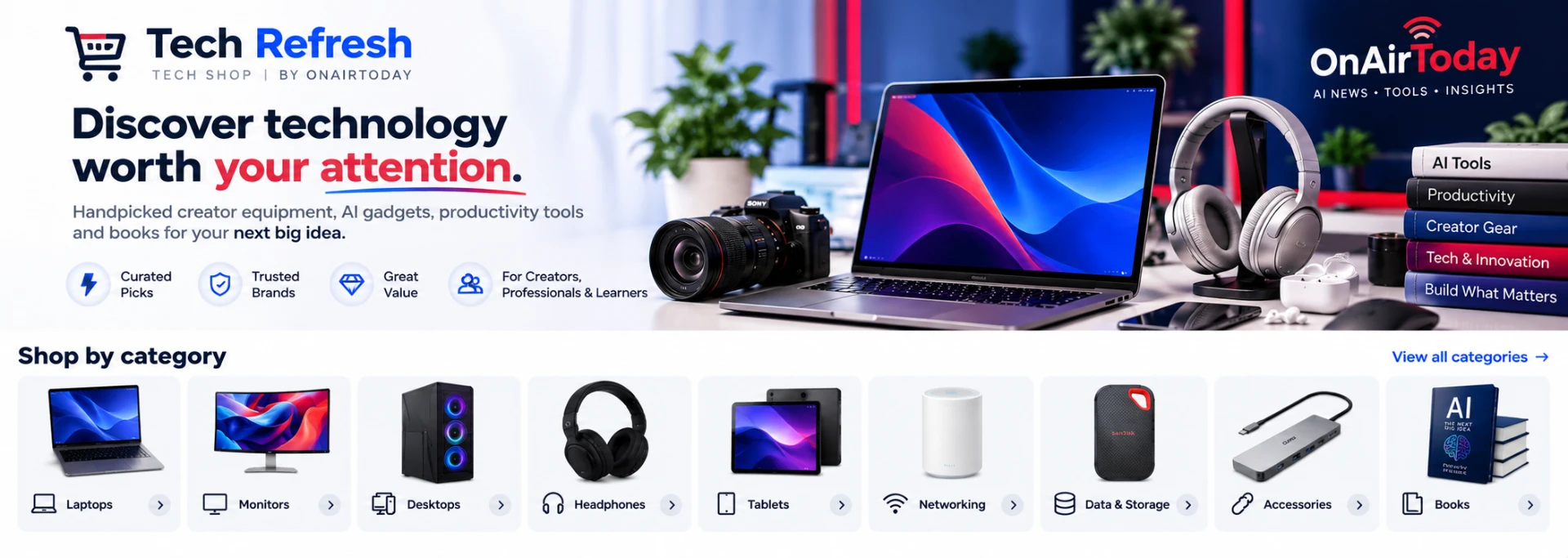
I'm always looking for technology that improves productivity, simplifies everyday tasks or offers real value. That's why we created the OnAirToday Tech Shop, with picks across computers, productivity gear, smart devices and everyday electronics. For more ideas, browse Amazon's Tech Refresh collection.
Before buying anything, I ask three questions: What problem does it solve? Will I use it regularly? Is there a better or more affordable alternative? Not every new gadget is worth it; sometimes the simplest solution is the best one.
Building Practical AI Through Arsh.AI
Beyond exploring tools, I build technology solutions through Arsh.AI, focused on AI-powered applications, intelligent automation, digital experiences and AI security.
I'm also working on Netzyng, an AI-powered shopping and price-comparison platform that makes it easier to discover products and compare options.
To learn more about my background and projects, visit my portfolio at Mirza.us.
My Advice: Start Small and Build Something
You don't need to know everything about AI before you start using it. If you have an app idea, build a prototype. If you're not sure which tool to use, start with the AI Tool Finder. If you're curious about video, try an AI video tool. If you're thinking about a business, start by validating a real problem. Read, explore and keep learning, but above all, apply what you learn.
Some of the most valuable opportunities in my career started with curiosity and a willingness to experiment. AI makes it easier than ever to explore new ideas. Your first attempt doesn't have to be perfect; you just need to start.
Want to Learn More About AI?
If you want to build your AI skills, find career opportunities or join professional communities, read my companion guide: Want to Learn AI or Advance Your Career? Here Are the Resources I Recommend.
For regular AI news, follow the OnAirToday WhatsApp channel.
Let's make AI simple, practical, and useful together.
— Abbas Mirza, Founder & CEO, Arsh.AI · Host, OnAirToday with Abbas Mirza



Comments
Keep comments relevant and respectful. No links, advertising, self-promotion, or spam.